Business Central POS integration for stores and counters
Business Central POS integration connects the tills in your shops, showrooms or trade counters to the system that holds stock and accounts. Business Central has no till screen of its own. So our consultants link your point of sale system to it. Sales, payments and returns flow in. Items, prices and stock levels flow out.
Last updated
What Business Central POS integration involves
A point of sale system is built for speed at the counter. Staff scan, take payment and print a receipt. It knows little about purchasing, costing or the general ledger. Business Central is the opposite. Integration lets each one do its own job while they share items, prices and results.
Going out to the tills are item numbers, barcodes, descriptions, prices and promotions. Coming back are sales by item and store, payments by tender type, returns and discounts. Sometimes customer details come back too. Stock moves between stores and the warehouse through transfer orders in Business Central.
Tell us about your tills →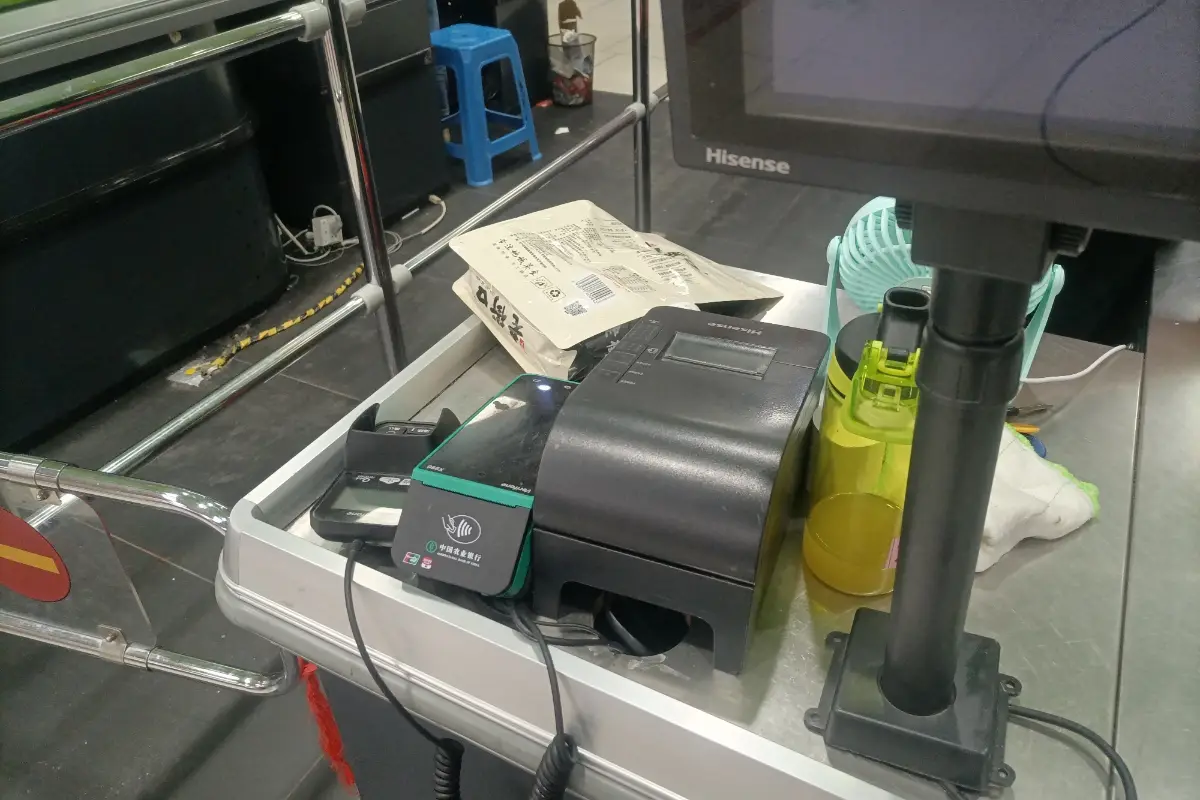
- ✓Items, barcodes and prices
- ✓Sales by store
- ✓Tenders by type
- ✓Returns and discounts
- ✓Store stock levels
Signs your Business Central POS integration is overdue
The usual sign is an end-of-day routine done by hand. A manager prints the till summary. Then someone in the office types a journal for sales and tax. Inventory is adjusted in bulk once a week. As a result, stock figures are never quite right, and margin by item is a guess.
A second sign is price drift. Prices kept separately at the tills fall behind. A supplier cost increase reaches the ERP but not the shelf. Connecting the systems makes Business Central the one place where an item and its price live. Shelf labels and tills then agree.
Show us your daily routine →- ✓Hand-typed daily journals
- ✓Weekly bulk stock adjustments
- ✓Prices kept twice
- ✓No margin by item
- ✓Cash differences found late
How we build a Business Central POS integration
The route depends on the till system. If you sell through Shopify POS, in-store sales arrive as Shopify orders. The connector that Microsoft includes handles them. Retail suites built on the Business Central platform share its database. Those need configuration more than integration.
For independent POS products, we use their export or API on one side. On the other side we use Business Central APIs. We decide with you whether each receipt becomes its own document. Or sales can be summarized per store and day. That keeps the ledger lean, and item-level inventory stays accurate.
Discuss your till system →- ✓Detail or daily summary
- ✓Store as location
- ✓Cash customer per store
- ✓Tender to account mapping
- ✓Sales tax handling
What runs once the integration is live
Each day's trading posts into Business Central without typing. Inventory falls by what each store sold. Revenue and tax post to the right accounts with a store dimension. Card, cash and voucher totals land in clearing accounts. They are then ready to match against bank deposits.
We also deliver a reconciliation routine for your finance team to follow each morning. It compares till totals with posted sales, and tenders with the bank. Rejected lines are listed with the reason. We document the mapping of tenders, tax codes and stores. So your own staff can add a new store.
Ask for a reconciliation sample →- ✓Automated daily posting
- ✓Store dimension reporting
- ✓Tender clearing accounts
- ✓Morning reconciliation routine
- ✓New store setup guide
Pitfalls in till integration
Unknown items break imports. A store may sell something through a generic key. Or an item may exist only at the till. Business Central then has nothing to match it to. We agree a rule, usually a miscellaneous item per department. A report shows how often staff use it.
Negative stock is the other regular problem. The till sells what is on the shelf, even if the ERP thinks there is none because a receipt was not posted. A good Business Central POS integration copes with that gracefully. The cause, late receiving, still has to be fixed in store routines.
Plan for the exceptions →- ✓Barcodes on every item
- ✓Rule for unknown items
- ✓Receipts posted promptly
- ✓Gift card accounting
- ✓Offline till behavior
Business Central POS integration questions
Does Business Central include a point of sale?
No. Business Central covers finance, inventory, sales and purchasing. It does not include a till application. Retailers pair it with a separate POS product. They can also use a retail suite built on the Business Central platform. Or they can use Shopify POS through the Shopify connector. We help you choose the route that fits your stores.
Does Business Central POS integration post every receipt as an invoice?
Not usually. For anonymous counter sales, one summarized sales document per store and day keeps the ledger manageable. Stock still falls item by item. Sales to named account customers are better posted one by one, so they appear on statements. We set up both patterns in your Business Central POS integration and test them.
How are card payments reconciled?
Card totals from the tills post to a clearing account. Then the payment processor's deposit reaches the bank, net of fees. During bank reconciliation, you match it against that clearing account. The fee posts to an expense account. We set up the accounts and write the steps for your finance team to follow each day.
Can stores see warehouse stock from the till?
That depends on the POS product. Many can query available inventory through an API call to Business Central. Staff can then tell a customer whether another store or the warehouse has the item. We check what your till supports. Then we build the lookup and test it with real items before go-live.
What if a store loses its internet connection?
Most till systems keep trading offline and upload when the connection returns. The integration should accept late transactions and post them with the original sale date. We test this case before go-live. That way period cut-off is handled correctly, and a day of lost signal never leaves a gap in your books.
Book a discovery call
Let's talk through your move to Business Central.
A focused call with a senior consultant. We learn how your business runs today, give you an honest view on whether Business Central fits, and outline scope and next steps before you commit to anything.
What happens after you send the form