Data analysis done inside Business Central
Business Central data analysis no longer has to start with an export. Analysis mode turns any list page or query into a pivot-style workspace. Users group, filter and total records on the spot. We prepare the data so those answers can be trusted. We also build the queries that are missing and teach your team to explore on their own.
Last updated
Business Central data analysis with analysis mode
On most list pages, a toggle switches the view into analysis mode. Users drag fields into row groups, column labels and values, much like a pivot table. The result recalculates in the browser. For example, you can group customer ledger entries by salesperson and month in a few clicks, without leaving the page.
Each arrangement saves as a tab. So a user can keep several views of the same data and return to them later. Tabs are personal, but you can copy a link to share a view with a colleague. Where Copilot is on, a user can also describe the layout they want in words.
Try analysis mode together →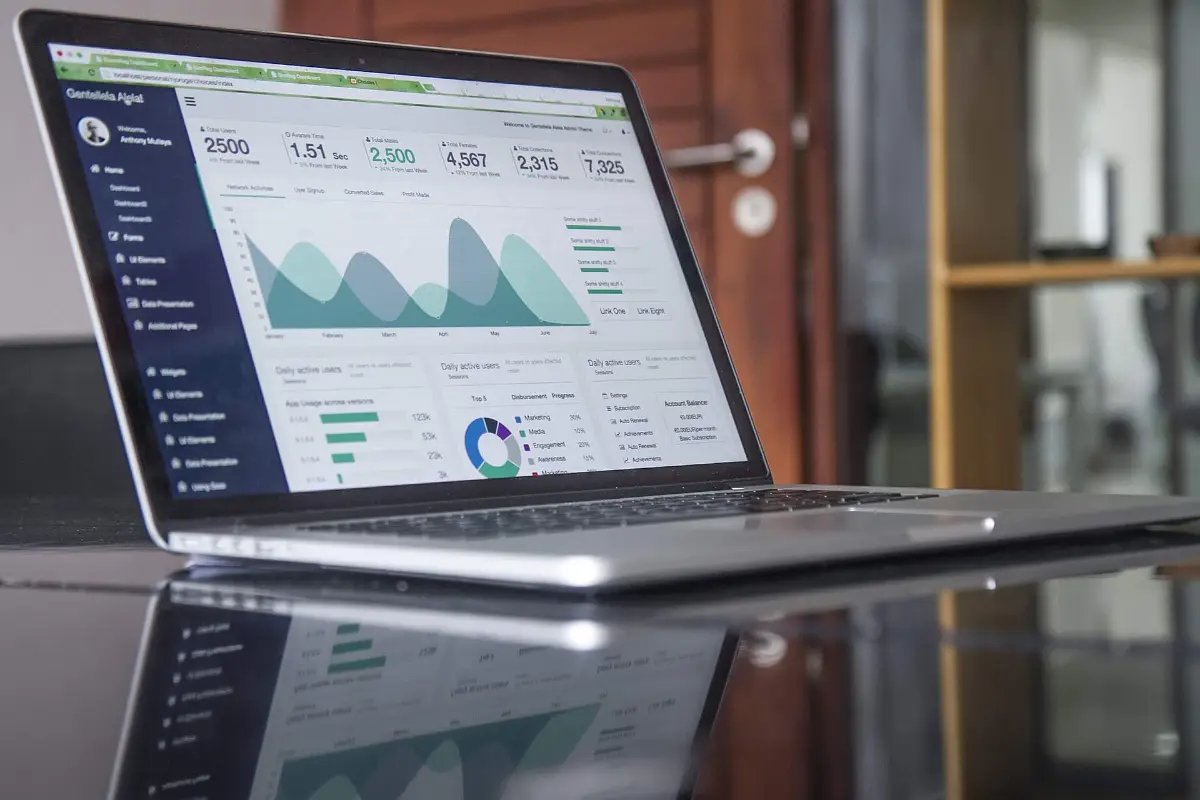
- ✓Group rows by any field
- ✓Pivot values across columns
- ✓Sum, count or average
- ✓Save views as tabs
- ✓Share a view by link
Getting data ready for Business Central data analysis
Analysis is only as good as the fields you group by. Suppose half the sales lines carry no department dimension. Or item categories were never assigned. Then every breakdown has a large unlabeled bucket. So we check the coverage of dimensions, categories, posting groups and salesperson codes before anyone draws conclusions.
Where gaps exist, default dimensions and mandatory value rules stop new ones from appearing. You can often correct historical entries with the dimension correction feature for general ledger entries. We also tidy duplicate customers and inconsistent names. A customer split across three cards hides its true size.
Check your data quality →- ✓Dimension coverage
- ✓Item category assignment
- ✓Default dimension rules
- ✓Duplicate master records
- ✓Consistent posting groups
Queries that extend Business Central data analysis
A list page shows one table. Many questions need several. Examples are sales lines with the item's category and the customer's region, or purchase receipts with vendor lead times. Query objects written in AL join those tables on the server. You can open them in analysis mode like any list.
We build a small library of queries for the questions your managers ask again and again. We place them where users can find them through search. Queries run in the database and return only the fields you request. So they cope with large ledgers far better than a spreadsheet full of lookups.
Request a custom query →- ✓Sales by item category
- ✓Purchases by vendor and item
- ✓Inventory value by location
- ✓Project usage versus budget
- ✓Payment behavior by customer
Excel, Power BI and the right tool for data analysis
Analysis mode suits quick questions over one dataset. Open in Excel sends a list to a workbook for one-off work. Edit in Excel lets permitted users change records and publish them back. Financial reports built on account schedules remain the right tool for statements by period and dimension.
Sometimes a question needs trends across long periods, several systems or a polished visual to share. Then Power BI is the better home. We help you decide case by case. As a result, people stop rebuilding the same spreadsheet each month. They use the lightest tool that answers the question properly.
Pick the right tool →- ✓Analysis mode for quick questions
- ✓Open in Excel for one-offs
- ✓Edit in Excel for bulk updates
- ✓Financial reports for statements
- ✓Power BI for trends
Teaching your team Business Central data analysis
The aim is fewer requests to IT and faster answers. So we run hands-on sessions. Each participant brings a real question and leaves with a saved analysis tab that answers it. We teach finance, sales, purchasing and operations separately, using the pages they already know.
Permissions are part of the conversation. Analysis mode respects what a user may read, so it exposes nothing new. Some companies still prefer to limit who can analyze certain ledgers. We set that up. We also leave a short reference sheet that covers filters, grouping and the common pitfalls.
Book a hands-on session →- ✓Own question answered
- ✓Saved tabs to reuse
- ✓Filter techniques learned
- ✓Permissions understood
- ✓Reference sheet to keep
Business Central data analysis: frequent questions
Is analysis mode included in our Business Central license?
Yes. Analysis mode is part of the standard web client, and it needs no separate product. It is available on list pages and queries for users whose permissions allow it. Copilot help for building analysis views depends on Copilot being on for your environment. We check that setting with you during setup, so nothing surprises your users.
How is analysis mode different from Power BI?
Analysis mode works on one list or query at a time. It runs live inside Business Central, and it is meant for quick exploration by the person doing the work. Power BI models many tables together and keeps history. It also makes shareable visuals and can include data from outside the ERP. Good Business Central data analysis uses both.
Can analysis mode handle large ledgers?
It loads the records in the current filter into the browser. So performance depends on how much you ask for. Filter to a period or a range before you switch it on, and it stays responsive. For very large datasets, we build a query that pre-aggregates on the server. That keeps the page fast for everyone.
Will users see data they should not?
No more than before. Analysis mode shows only the records and fields that the user's permission sets and security filters already allow. You can also restrict the feature itself for some users through permissions. We set it up to match your policy. Then each person sees the data that fits their role.
Do we still need custom reports?
For printed documents and fixed-format output, yes. Many internal questions once needed a custom report. Today a saved analysis tab or a query is quicker to create and easier to change. We help you decide which of your existing reports still earn their keep. Then you pay to maintain only the ones you use.
Book a discovery call
Let's talk through your move to Business Central.
A focused call with a senior consultant. We learn how your business runs today, give you an honest view on whether Business Central fits, and outline scope and next steps before you commit to anything.
What happens after you send the form